Summary
This article discusses the advantages of integrating live chat features into mortgage websites for better client communication. Live chat enhances customer experience by providing instant responses, improving engagement, and increasing conversion rates. By adopting this tool, mortgage professionals can create a more responsive and client-friendly online presence.
The day has come! Our live website chat tool, BNTouch Connect, is now live. With Connect you can add a live chat box to your website with one simple code and start collect chat leads today. The video below will walk you through how the live chat works.
You may have seen some live chat boxes pop-up on websites more and more over recent months. That is because they work. Live chat boxes have been shown to increase website conversions by up to 40%. Now that’s something to get excited about!
Here are a few impressive stats from a Kissmetrics and ICMI study.
- 44% of online consumers say that having questions answered by a live person while in the middle of an online purchase is one of the most important features a Web site can offer.
- 63% of customers are more likely to return to a website that offers live chat.
- 38% of respondents said they had made their purchase due to the chat session itself.
- Live chat has the highest satisfaction levels for any customer service channel, at 73%, compared with 61% for email and 44% for phone.
- Chat has become the leading contact source within the online environment, with 42% of customers using chat versus email (23%) or other social media forum (16%).
BNTouch Connect will allow you to implement a custom live chat box on any website you own. Did you know you can build custom modern websites using BNTouch? These chat boxes will be able to link with your BNTouch dashboard or a cell phone. Therefore you or someone on your team can respond to these messages in real time from anywhere. 
The chat box will collect the name, phone number and email of potential borrowers during a conversation. It’ll automatically add them to your lead pipeline so that they’ll be eligible to receive your automated email or sms marketing. Lastly you’ll get a full stats dashboard to see how many chat queries, SMS responses and leads you’ve received month over month from this new feature.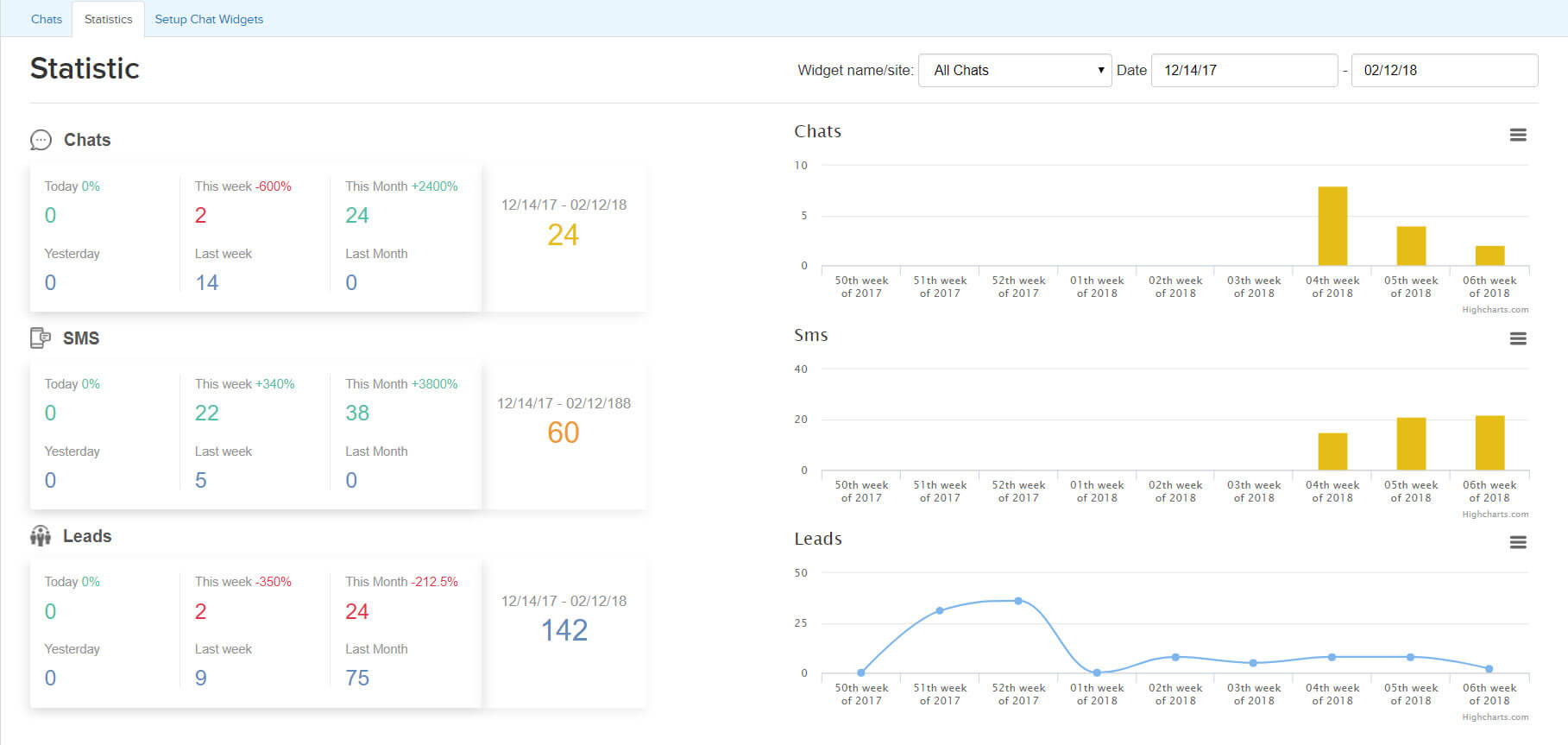
Key Takeaways
- Offer real-time support with live chat.
Live chat allows mortgage professionals to respond quickly to client inquiries, improving the overall customer experience.
- Use chat to qualify leads instantly.
Live chat is an excellent tool for gathering essential client information and determining loan eligibility in real-time.
- Capture more leads with 24/7 availability.
A live chat system ensures that potential clients can reach out at any time, increasing conversion opportunities.
Commonly Asked Question
- What is the benefit of having a live mortgage chat feature on a website?
A live mortgage chat feature provides immediate assistance to website visitors, helping them get answers to their questions in real time. It enhances the customer experience by offering fast responses and addressing potential concerns or inquiries, leading to higher conversion rates.
- How can live chat improve lead generation for mortgage professionals?
Live chat can capture leads by engaging visitors early in their website journey, offering personalized guidance and answering specific queries. By proactively starting conversations, it increases the chances of converting a website visitor into a lead and a potential customer.
- What are some key best practices for using live mortgage chat effectively?
Best practices include offering chat during business hours, responding quickly, and using scripted responses for common inquiries to ensure efficiency. Additionally, using a chat tool that captures lead information for follow-up and setting up automated responses for off-hours can optimize the experience.
Are you a BNTouch user? View your options tab or
contact your account admin to start using chat today.
BNTouch introduces tons of new features every month.
Are you ready to get in on the action?

Commonly Asked Question
- What is the benefit of having a live mortgage chat feature on a website?
A live mortgage chat feature provides immediate assistance to website visitors, helping them get answers to their questions in real time. It enhances the customer experience by offering fast responses and addressing potential concerns or inquiries, leading to higher conversion rates.
- How can live chat improve lead generation for mortgage professionals?
Live chat can capture leads by engaging visitors early in their website journey, offering personalized guidance and answering specific queries. By proactively starting conversations, it increases the chances of converting a website visitor into a lead and a potential customer.
- What are some key best practices for using live mortgage chat effectively?
Best practices include offering chat during business hours, responding quickly, and using scripted responses for common inquiries to ensure efficiency. Additionally, using a chat tool that captures lead information for follow-up and setting up automated responses for off-hours can optimize the experience.
Ready to Close More Loans?
See how BNTouch helps mortgage professionals automate marketing, manage leads, and grow their business.
Get a Free Demo
Compare BNTouch to Other Mortgage CRMs