AI Mortgage CRM Procurement Questions: Evidence, Limits, and Accountability
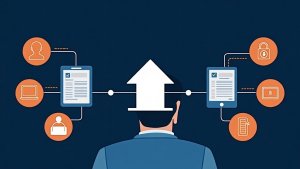
Text-free editorial illustration of a loan officer evaluating AI mortgage CRM evidence, human review, risk, and accountability questions.
Short answer: A loan officer evaluating an AI mortgage CRM should ask for observable workflow evidence, not just a feature label. The buyer should understand the intended use, inputs, output, human review point, error path, recordkeeping expectation, and who is accountable when the result is wrong or incomplete.
AI can be framed as a shortcut for nearly any business problem. That makes the evaluation process more important, not less. A responsible procurement conversation distinguishes assistance from decision-making and requires the vendor to explain the boundaries in plain language.
Questions that make an AI claim testable
Area
Question to ask
Evidence to request
Purpose
What specific workflow is this capability intended to support?
A concrete example with a named user and starting condition.
Inputs
What information does the capability use, and what information does it not use?
Documented input boundaries and data-source description.
Output
What does the user actually receive?
A current screenshot, sample output, or documented workflow.
Human review
Where must a person inspect, edit, approve, or reject the result?
A visible approval or override path.
Failure handling
What happens when the result is missing, wrong, or not appropriate for the record?
An exception owner, correction path, and support boundary.
See this in a live workflow: Bring one an AI workflow evaluation to a BNTouch demo. Ask how your team could preserve relationship context, assign an accountable owner, and surface the required next action or exception. Confirm current configuration and plan scope in the demonstration.
Use a four-part evaluation meeting
Ask the vendor to demonstrate one real workflow from input to reviewed outcome.
Ask for the limitations and conditions before asking about potential benefits.
Test an edge case: incomplete context, duplicate relationship, or a result the user disagrees with.
Write down the accountable business owner, technical owner, and escalation path before any pilot begins.
Keep the human boundary explicit
An AI feature should not be described as a substitute for professional judgment, credit decisions, legal interpretation, or compliance review. A buyer should be able to identify the point at which a person remains responsible for reviewing the record and deciding the next action.
Next step: Choose one claimed AI workflow and write the purpose, input, output, human review point, and error path on one page. Use that page in a BNTouch product consultation to separate verified workflow behavior from assumptions.
Questions loan officers ask
What should a loan officer ask before using AI in a mortgage CRM?
Ask what the tool produces, which information it uses, who reviews the output, how edits and exceptions are handled, and what evidence supports the vendor claim. Keep the questions tied to one workflow rather than a broad AI category.
How should a team evaluate an AI-generated recommendation?
Use a small set of realistic and edge-case records, compare the output with the documented workflow, require human review where the team needs it, and record exceptions before expanding use.
Ask what the AI supports, who reviews it, and what remains human-owned
An AI claim is useful only when it is attached to a real mortgage CRM workflow. BNTouch describes MAIA as the AI assistant inside the CRM for workflow support, content, lead scoring, and next-step recommendations. A buyer should ask the demonstrator to show the record context, the output, the human review step, and the action that remains accountable to the loan officer or team.
This tutorial is visual workflow evidence for a MAIA chat sidebar inside a partner-record workflow. It should not be used to infer field-level behavior or current general availability beyond the current product documentation.