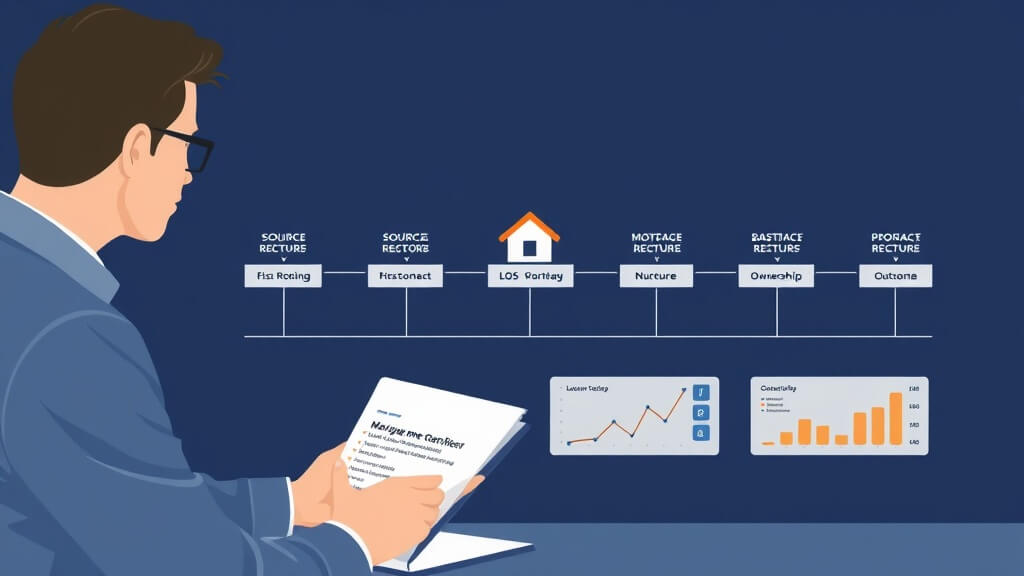
Short answer: Mortgage lead management is the operating process that moves a new inquiry from capture to first contact, qualification, follow-up, handoff, and measurable next action. For a loan officer, a useful CRM should show who owns the lead, what happened last, what must happen next, and which source or loan context supports the recommendation.
Written by Yuri Polukeev, CEO, BNTouch Updated August 20, 2026
That sounds simple, but mortgage teams often lose opportunities between a web form, a phone call, an LOS record, a partner referral, and a spreadsheet. The fix is not “send more automation.” The fix is a visible workflow with ownership, timing, context, review points, and a way to learn from the result.
This guide is for loan officers, mortgage brokers, branch managers, and small lending teams evaluating mortgage CRM software. It gives you a practical workflow to test in a demo and a way to compare mortgage-native systems with generic CRMs.
What mortgage lead management should control
Workflow question
What the team needs to see
Failure to avoid
Where did the lead come from?
Source, campaign, referral partner, page or form, timestamp, and consent or contact context.
A record that arrives without enough context to personalize or route it.
Who owns it?
Assigned loan officer, branch or team, backup owner, and routing rule.
Two people assume the other person is following up.
What happened last?
Calls, emails, texts, notes, appointments, status changes, and the source of any synced loan data.
A “new” lead that has already been contacted somewhere else.
What happens next?
Next task, due time, recommended action, and the reason it is recommended.
A lead sitting in a pipeline stage with no action attached.
What did we learn?
Response, appointment, application, funded loan, lost reason, and follow-up outcome.
Optimizing for activity volume instead of useful conversations and completed milestones.
The seven-stage MLO lead-management workflow
1. Capture the lead with its source intact
Start with the smallest set of fields that makes the next action possible. A mortgage team normally needs the contact record, source, timestamp, assigned owner, requested loan purpose or property context when provided, and a clear record of the form or referral path.
Do not flatten every inquiry into the same generic contact type. A first-time buyer, a past client, a Realtor referral, and a refinance inquiry may need different routing and follow-up logic. The CRM should preserve the source instead of hiding it inside a note.
2. Route the lead to a real owner
Routing is more than assigning a name. Define the conditions that determine ownership: geography, product fit, branch, language, partner relationship, round-robin rules, working hours, and backup coverage.
Ask the vendor to demonstrate a lead arriving outside business hours and a lead that fails the preferred routing condition. You want to see the fallback behavior, the alert, and the audit trail. “We can route leads” is not enough unless the team can see what happens when routing is ambiguous.
3. Create a first-contact queue
The first-contact queue should tell the loan officer what to do now. It should not require opening five unrelated screens to reconstruct the lead’s history.
A useful queue shows:
new or unworked leads;
the source and time received;
the assigned owner and backup;
the preferred contact channel when known;
the last activity and next task;
the reason a lead is prioritized;
the suppression or review state before an automated message is sent.
Ask for a live demo using an anonymized record. The test is not whether the dashboard looks busy. The test is whether a loan officer can choose the next action without guessing.
4. Use a contact sequence with decision points
A sequence should not be a fixed blast. It should have decision points. A contact can respond, ask for a later time, book an appointment, become ineligible for the current workflow, or request no further contact. Each outcome should change the next task.
Before activating a sequence, review the message, audience, channel, timing, ownership, pause conditions, and escalation path. A mortgage CRM should make it easy to stop or edit a sequence when the relationship or circumstance changes.
5. Connect the CRM to LOS and POS context
A CRM integration is useful when it gives the loan officer reliable context without making the CRM pretend to be the LOS. Ask which records and fields move, whether the flow is one-way or two-way, how often it updates, how duplicates are handled, and what happens when a sync fails.
For an Encompass, Calyx, LendingPad, BytePro, or other LOS workflow, request the current field map and test the exact plan being purchased. Look for borrower contact data, application information, milestones, conditions, document events, closing, and funding behavior where those fields are actually supported.
The relevant question is not “does the vendor have an integration logo?” It is “can the team see the right event, field, timestamp, and next action in the workflow?”
6. Separate nurture from active opportunity management
Not every lead belongs in the same pipeline. Active opportunities need tasks and ownership. Longer-term nurture needs a clear audience, review rules, a useful reason to contact, and an easy suppression path.
Past clients and referral partners also need their own relationship logic. A mortgage CRM should help the team maintain history, surface relevant follow-up, and measure responses without treating the database as an undifferentiated list.
7. Measure movement, not just touches
Start with a small measurement model:
new leads received;
leads assigned to an owner;
time to first attempted contact;
two-way conversations;
appointments or applications;
qualified, paused, lost, or suppressed records;
funded-loan outcomes where attribution is available.
Use the same definitions across vendors. Otherwise, one CRM’s “conversion” may mean a form submit while another’s means an appointment or funded loan. Ask what the event means, where it is recorded, and whether it can be joined to the CRM record.
Build follow-up around context and review points
Direct answer: a mortgage lead follow-up workflow is more useful when every action has a reason in the record, a responsible person, and a defined point where the team reassesses or stops the path. A label such as hot, warm, or cold does not by itself tell a loan officer what to say or whether the record is ready for outreach.
How to avoid generic follow-up
Before adding a message or task, define the event that starts it, the relationship context a user should see, the person who owns the next action, and the condition that pauses or changes the path. A response, reassignment, incomplete record, restricted contact, duplicate, or changed circumstance should give the team a way to review the record instead of forcing it through the same sequence.
How many follow-up touchpoints should a loan officer use?
There is no defensible universal number. The useful question is whether each planned action has a clear purpose, a documented audience, and a review condition. A team should test the first few representative records, inspect the history, and revise the workflow when the record context shows that another action would not be useful.
Campaign-step walkthrough: a historical visual reference
Build BNTouch Campaign Steps: Email and SMS Tutorial is a public October 2025 training video. It is useful for preparing questions about a campaign step, its message, intended action, timing discussion, and review before use.
Scope of this source: this 2025 walkthrough is historical visual evidence, not a statement of current product behavior, account permissions, delivery, connection behavior, commercial terms, or the communication process appropriate for another organization. Confirm the current workflow and the team's own approved message, audience, review process, and stop conditions before use.
For an evaluation, bring one active lead, one reassignment, one restricted or paused record, and one record with incomplete context to a BNTouch demo. Ask to see the record context, owner, next action, review point, and correction path.
What to test in a mortgage CRM demo
Submit a test lead and show the source, timestamp, owner, and next task.
Send the lead through a routing exception and show the fallback.
Show the complete activity history in one record.
Show an approved message draft and the human review step.
Pause the sequence and show what happens to future tasks.
Show one LOS or POS field, its source, and its last sync time.
Break or delay a sync in a test environment and show the alert.
Show how the team measures first contact, conversation, appointment, and outcome.
Show how a manager audits routing, edits, approvals, and ownership changes.
Show what is available on the quoted plan versus beta, planned, or add-on.
Mortgage CRM versus generic CRM for lead management
A generic CRM may be a reasonable choice when the team has strong technical administration, limited mortgage-specific workflow requirements, and enough time to design the data model, integrations, routing, and compliance review process.
A mortgage CRM is a better fit when loan officers need mortgage terminology, LOS context, borrower and partner relationships, mortgage campaign patterns, post-close follow-up, and less custom assembly. The right decision depends on the workflow and implementation burden, not on the category label alone.
Compare both options using the same test records and the same seven stages above. The winner should make the next action clearer, the data movement more visible, and the measurement definitions easier to trust.
How BNTouch fits the workflow
BNTouch describes its platform as mortgage CRM software for loan officers, brokers, teams, and lenders, with borrower relationship management, campaign automation, LOS context, Credit Pull Alerts, and MAIA AI tools. Verify current plan scope and product behavior in a demonstration before relying on a specific feature statement.
For a buyer comparing platforms, the useful next step is a workflow review using your lead sources, team structure, LOS, database, and first-contact bottleneck. Request a BNTouch product consultation and bring the seven-stage test to the conversation.
Bottom line
Mortgage lead management is successful when every lead has context, an owner, a next action, a review path, and a measurable outcome. A CRM should help the loan officer decide what to do next and help the manager understand why the process worked or failed.
For a related checklist, read Mortgage Workflow Automation for Loan Officers. It helps a loan officer review triggers, task owners, exceptions, and human review before evaluating a system.