Short answer: The useful way to evaluate mortgage CRM workflow claims is to watch the relevant product path, inspect a non-sensitive test record, document the expected result, and agree on the person who handles an exception. This evidence library pairs public BNTouch demonstrations with the questions a mortgage team should answer before relying on a workflow.
How to use this evidence
Each video is a source for the specific screen or workflow it shows. It is not a statement that every account uses the same setup. The test tables below distinguish public documentation and video context from the configuration, data mapping, and exception decisions a mortgage operation must verify for itself.
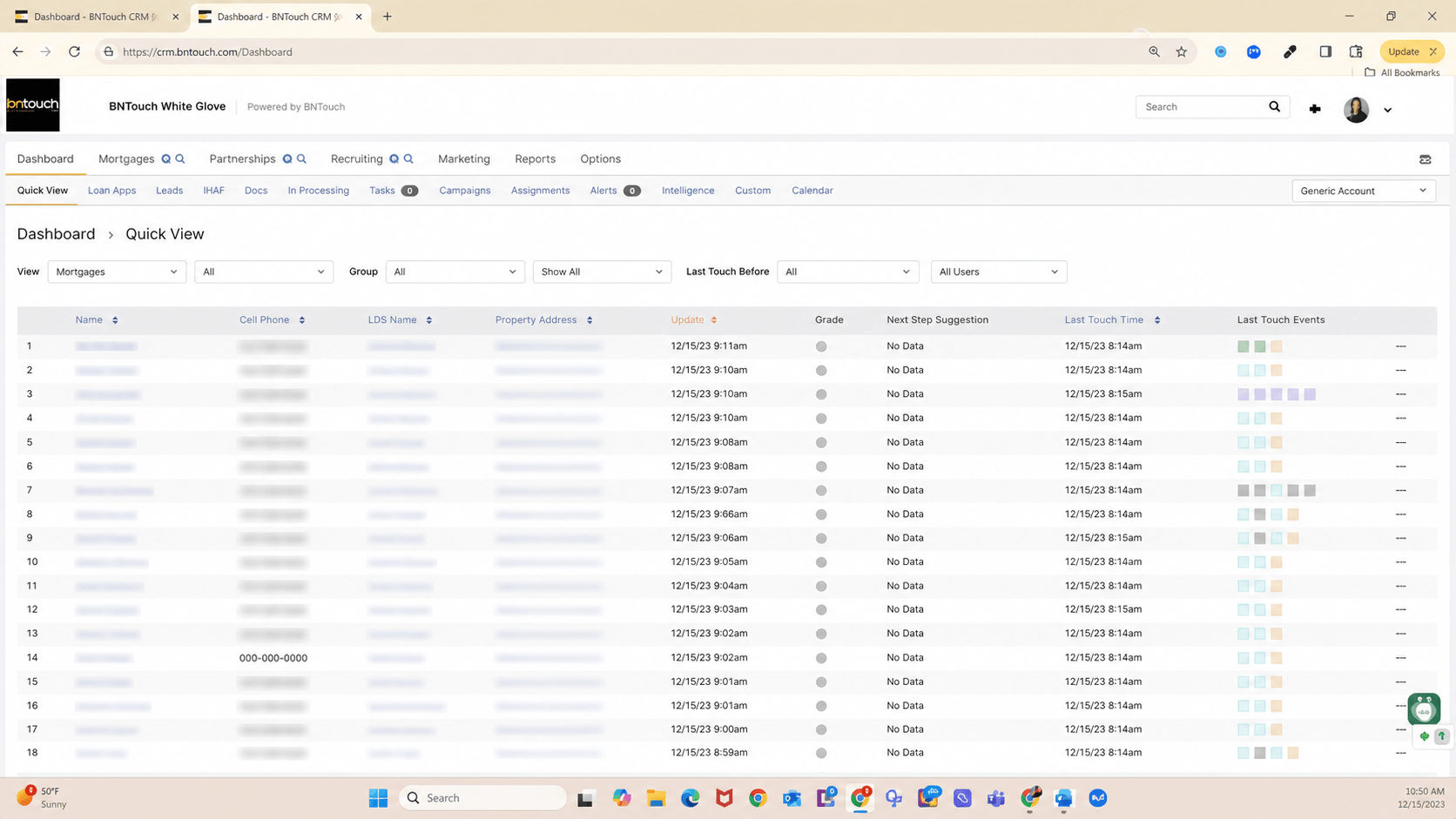
Redacted visual excerpt from the public Daily Dashboard + Intelligence Walkthrough. Names, phone numbers, and addresses have been obscured. It shows dashboard context only, not a performance result or a data-ownership rule.
Workflow video evidence
Daily dashboard and status-based task review
The walkthrough opens the daily dashboard and shows task setup tied to contact-status categories. In a live review, confirm the current status names, task ownership, and the record that a user is expected to inspect. Open the source video at 00:11.
Campaign entry and removal rules
The tutorial shows rules that determine when records enter or leave campaigns. A mortgage team still needs its own approved audience, message, review process, trigger, and stop condition. Open the source video at 00:07.
Stale-preapproval group example
The demonstration shows a separate stale-preapproval group after an example group-removal condition. The timing is illustrative; each team owns its stage definitions, review timing, and stop conditions. Open the source video at 02:01.
MAIA settings and human review
This public 2024 walkthrough shows the MAIA settings path, company registration, and background user-sync context. Use it to request a current demonstration of the relevant workflow; it does not establish current behavior for every account. Open the source video.
Data owner and exception review table
This is an evaluation template, not BNTouch field documentation. Use it to capture the source record, expected result, human reviewer, and the path taken when an expected update is missing or unexpected.
Workflow record or event
Published or video context
What to verify
Human owner and exception path
Borrower contact and application start
BNTouch public Encompass documentation describes borrower/contact information and digital 1003 flow from BNTouch to Encompass.
Current field mapping, starting event, match behavior, and destination record.
Name the CRM and loan-system reviewers; capture the test identifier and route a mismatch to the team responsible for the source record.
Loan milestone, document event, or funding event
BNTouch public Encompass documentation describes events flowing from Encompass to BNTouch.
Current event name, visible record result, timing observed during the test, and what is intentionally outside scope.
Name the operational reviewer; document how an absent or unexpected event is detected before a borrower-facing action is used.
Daily dashboard task
The cited dashboard video shows task setup tied to contact-status categories.
Current task rule, responsible user, status category, and underlying contact record.
The CRM administrator verifies the setup; the loan officer reviews an unexpected task against the underlying record.
Campaign audience change
The cited campaign tutorial shows add and remove rules.
Audience definition, trigger, removal rule, approved content, and stop condition.
The designated business and review owners approve the workflow; pause the path and inspect the record when a rule behaves unexpectedly.
Choose a small set of non-sensitive test records and write down their starting state before the demonstration.
List the CRM and loan-system statuses, fields, events, and record owners that matter to the team.
Agree on the reviewer for each workflow and the person who approves any borrower-facing use.
Document the expected result in each destination and how the team will recognize an exception.
Keep the test evidence with the configuration decision so a later reviewer can see what was verified.
MAIA human-review example
Step
What the reviewer should inspect
Evidence to retain
Choose context
Use a non-sensitive test record with known stage and communication history.
Record identifier, stage, and reviewer.
Request assistance
Ask the demonstrator to show the MAIA-supported workflow relevant to that record.
Timestamped screen or video reference and the workflow being evaluated.
Review output
Compare the displayed context and suggestion; identify what the loan officer would edit, reject, or escalate.
Reviewer decision and reason.
Retain accountability
Confirm that operational judgment and borrower communication remain under human review.
Named approval role and exception path.
Human-accountability boundary: This page does not describe MAIA as replacing a loan officer, compliance review, underwriting judgment, legal review, or responsibility for borrower communication. Confirm current product behavior and account configuration in a live demonstration before relying on a workflow.
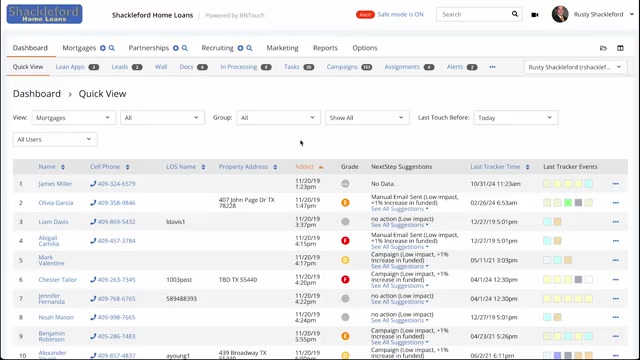
Public product-screen capture from the cited campaign tutorial at 00:07. It shows the campaign-step categories in that demonstration; current account configuration and review processes should be confirmed in a live workflow review.