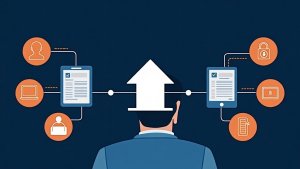
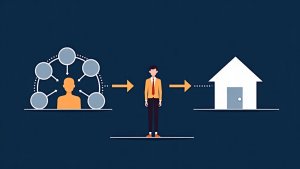
This article introduces the customizable digital 1003 mortgage application. Learn about its features, including online accessibility, customization options, and progress saving, and how to streamline the application process for borrowers. By the end, you’ll know how to implement a user-friendly digital application to enhance borrower experience.
Streamline your application process with our improved and completely customizable digital 1003 mortgage application. Create a 1003 that works for your borrowers. Just send them a link to their custom online portal and they’ll be able to fill out their 1003 application online with ease. We’ve created a completely unique 1003 experience that you’ll be able to offer to your potential borrowers. Just another way you can use BNTouch to improve your borrowers home buying experience.
Update 12/10/18: New 1003 Application For Mobile
Using our MortgageCircles App borrowers will now be able to fill out a 1003 application using their favorite mobile device. Getting borrowers set up with the MortgageCircles App will also allow you to send push notifications directly to their cell phones for loan updates or important information. Mobile 1003’s will automatically update in your borrowers web portal for tracking and updates from any device. With the mobile 1003 borrowers can fill out their 1003 applications in the way they find most convenient. Increase your leads, increase your 1003 conversions using just another of BNTouch’s many digital mortgage tools.
How Do I Implement A Digital Mortgage Application?
While there are some standalone pieces of software that will give you the ability to create a digital 1003. BNTouch is the only digital 1003 option that can be completely integrated and managed from a CRM. Implement a digital 1003 into your mortgage business in a matter of minutes.
Here’s a breakdown of what you can do with this new 1003…
Send It To Anyone
Easily send your custom 1003 form to anyone by giving them your unique 1003 link. This can be added to your website as a button. Sent as an email or even a text and will take a potential borrower to a short form that will add them as a lead into your CRM as well. You can then begin communicate and market to them. This form will also create a personal portal for them to continue filling out their 1003 online. You can access your unique 1003 form link from the 1003 module in the modules section of your CRM.
Add & Remove Any Field
We offer a completely customizable form configuration tool that will allow you to add and remove any section or fields from your 1003 form. Remove redundant information and unnecessary fields from your form to make it easier for your borrowers to fill out, and increasing the likelihood of them doing so. We’ve made it easy for your, so you can make it easy for your borrowers.
Completely Digital
All 1003 applications can be accessed and filled out from anywhere, the CRM automatically creates a unique online portal for all of your borrowers. These portals can be accessed online or easily through our free mobile app. Just send your borrowers their unique portal link or have them download the app and they can get started filling out their 1003 from anywhere!
Save Your Progress
You’ll never have to force your borrowers to fill out an entire 1003 in one sitting again. With our digital 1003 your borrowers and save their progress at the end of each form section making it easy to fill out bits and pieces when they have time until the form is complete. You’ll now be able to offer your borrowers the most simple and easy to fill out 1003 around. Use this unique offering to blow your competition out of the water.
Key Takeaways
Simplify Application Processes
Provide borrowers with an easy-to-use digital platform.
Personalize Forms for Better Results
Tailor the experience to borrower needs.
Improve Borrower Convenience
Allow users to save progress and return anytime.
Commonly Asked Question
What makes the Digital 1003 application convenient?
It allows borrowers to apply online and track their progress easily.
How does customization enhance the application process?
Tailoring forms to borrower needs improves user experience and completion rates.
What feature supports applicant flexibility?
The ability to save and resume applications at their convenience.
Why is this application beneficial for mortgage professionals?
It streamlines the process, making it faster and more accessible for clients.
Want To See How BNTouch Can Help You Close More Loans?